 YACReader
It has been a long wait since the last update but the long wait ends today, yay!
Let's start with the new features in YACReaderLibrary:
YACReaderLibrary
New comics view in addition to flow and grid views: comic information view
You can switch to the new view by clicking in the view mode button (top toolbar on the right)
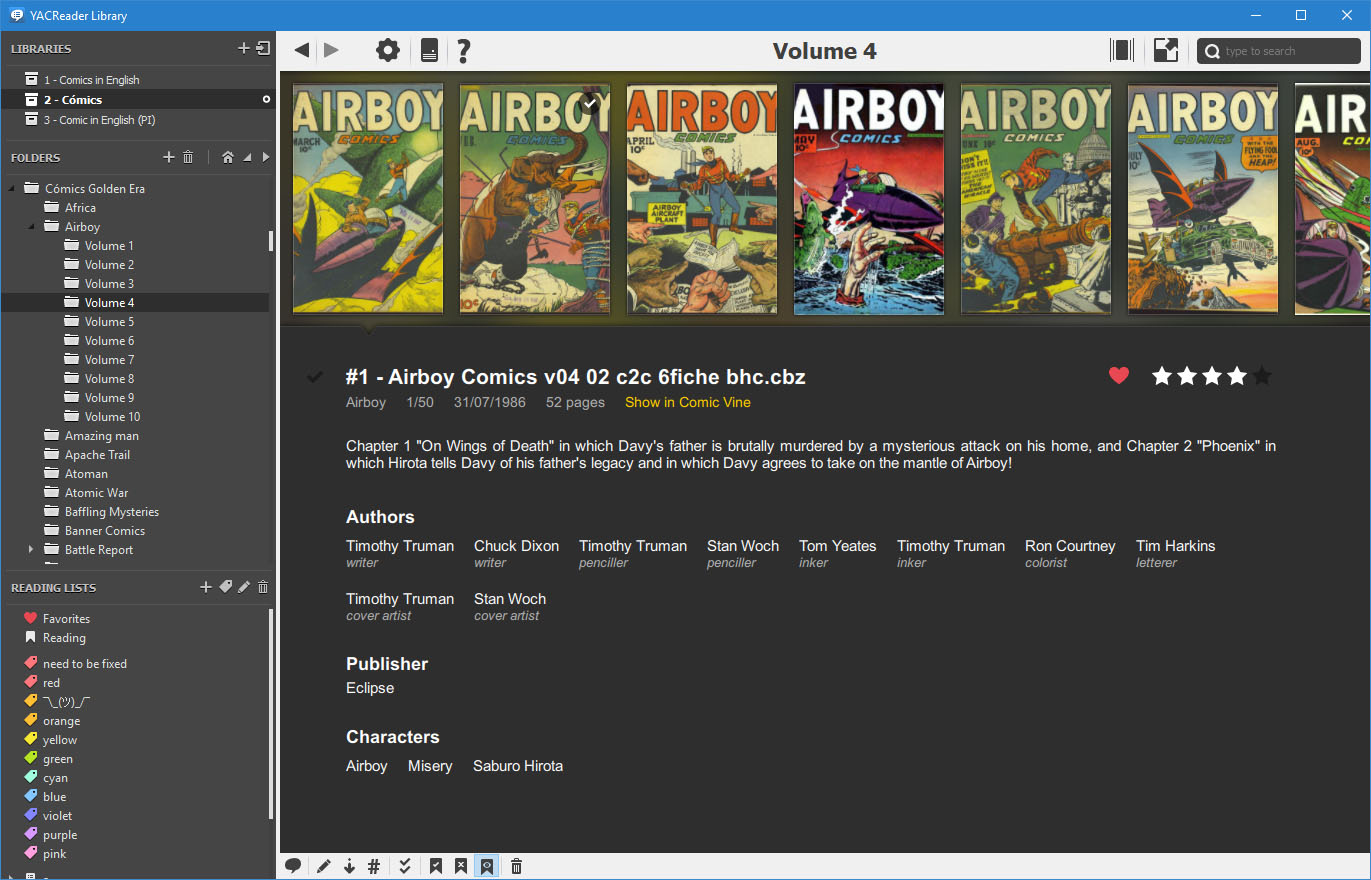
New view for showing detailed tags about a comic
New side view for showing current comic info in the grid view
This view can be switched on/off by clicking the button in the bottom toolbar, next to the cover size slider
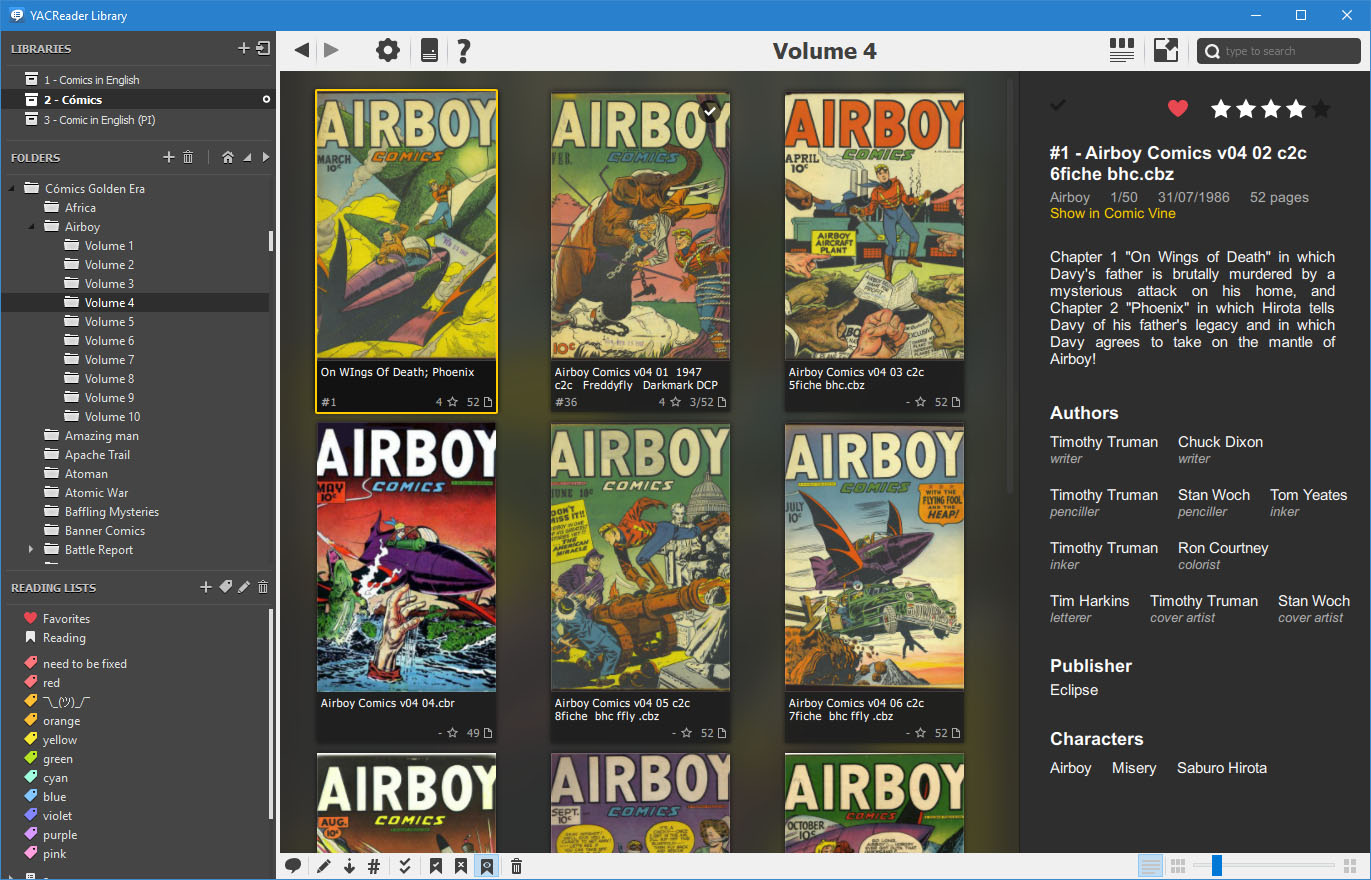
New view for showing detailed tags about a comic side by side with the grid view
Fixes and improvements
- Improved the look and feel of the grid view.
- Fixed Comic Vine integration (using the new https end point).
- Usability fixes to Comic View scraper.
- Fixed UI update when clients update comics status.
- Fixed YACReader not found in macos.
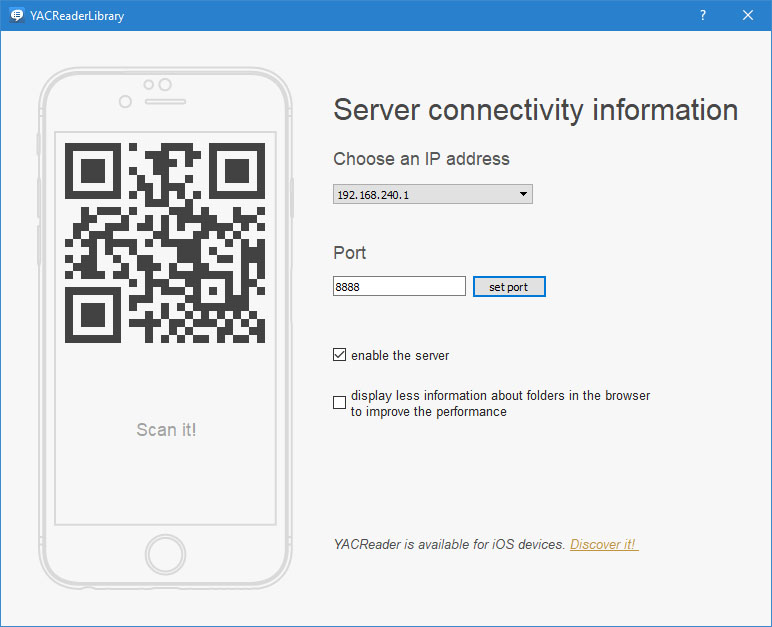
- New server setting for disabling covers on folders in the client's remote browser (iOS), this is a workaround to fix a performance issue in large libraries.
YACReader
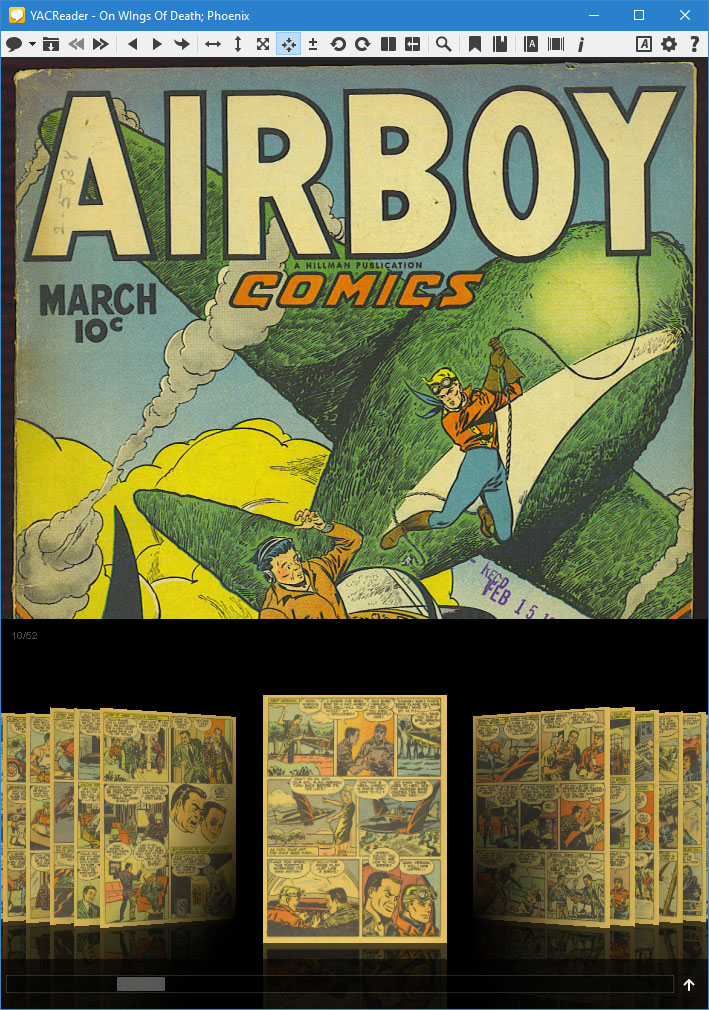
- Added an option to disable showing the go to flow on mouse over.
- New "Quick Navigation Mode" for the go to flow feature, full-wide + a scroll bar, it can be enabled in the settings dialog. (thanks to Yuu Mousou).
- Zig-zag autoscroll reading mode, please see the reading section in the shortcuts dialog for enabling this, by default there are no keys assigned to the scrolling actions (thanks to Daisuke Cato).
- Menu bar added for YACReader in macos (thanks to Daisuke Cato).
- "Go to flow" is now manga aware (thanks to Daisuke Cato).
- Added "Open recent" menu entry.
- Fixed issues experienced when opening new comics too fast.
YACReaderLibraryServer (headless version of YACReaderLibrary)
- Added a systemd service file to run yacreaderlibraryserver on Linux based systems.
General
- Updated Qt to 5.9.1.
- Faster (way faster) pdf backend based on pdfium.
- unarr is used now for handling compressed files (there are some temporal side effects: f.e. 7z is not supported). YACReader can still be compiled using 7zip as decompresion library. You can find prebuild binaries of YACReader-7zip in the downloads section.
- Fixed fullscreen context menus (windows).
- Minor fixes.
- New app icons for Windows.
- Initial support for Haiku OS.