 YACReader
Offline and 100% private Live Translation is here. Now YACReader lets you translate comics in real time. It uses on-device OCR and translation on the current page, with no internet connection required, and lets you configure the language, colors, and font. YACReader can also detect the color of the text and speech bubbles and use the same colors as in the original comic, making the experience as pleasant as possible. This is an experimental feature and depends heavily on image quality. It fully respects your privacy; to use it, you will need to download the dictionaries for the languages you want. Available languages depend on what iOS supports natively.
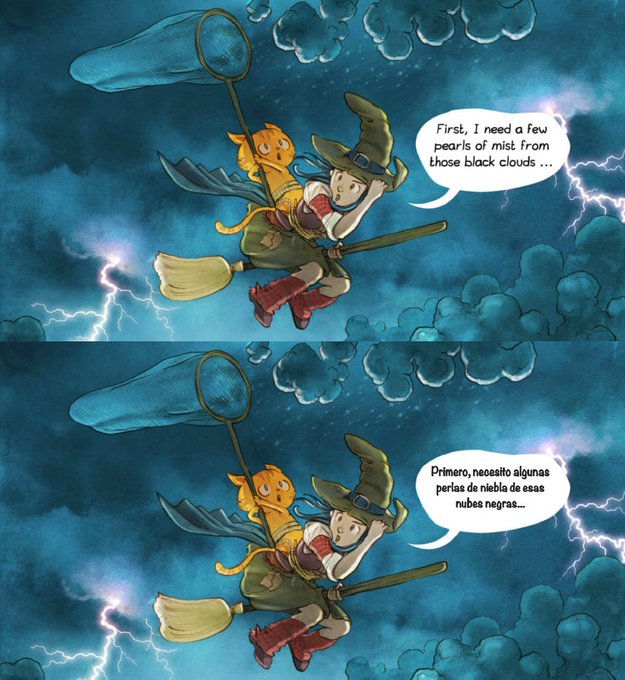
Source vs translated example.
Translated text look is configurable, but by default the app will try to match the colors of the original bubble.
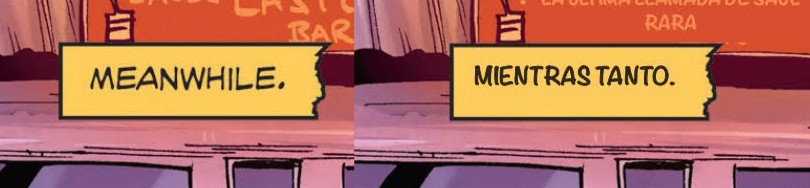
Matched colors in live translation
These are all the live translation settings available:
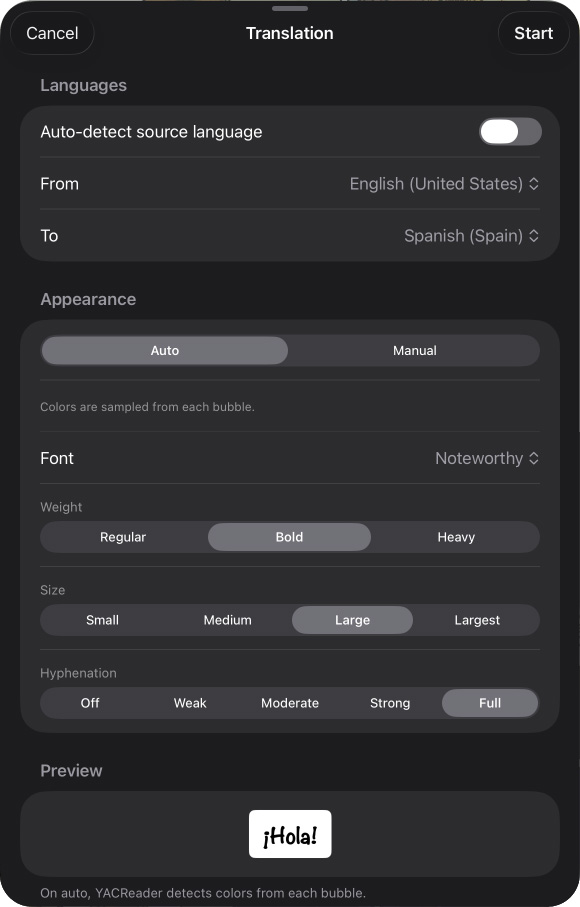
Translation settings
But there is more...
What's new
- Live translation while you read. It uses on-device (offline) OCR and translation on the current page, and lets you configure the language, colors, and font. Requires iOS 18+. This is an experimental feature and depends heavily on image quality. It fully respects your privacy; to use it, you will need to download the dictionaries for the languages you want. Supported languages depend on what iOS supports natively.
- More natural sorting in the local library and search results. Folders are shown first, and comics use their number when available. You can control the behavior in the settings.
- The QR scanner used to connect to YACReaderLibrary is now native, more reliable, and works better with light-on-dark QR codes, helping support the new themes coming in desktop version 10.
- Fixed PDF pages with crop areas so only the intended content is rendered.
- Fixed image filters so they no longer crop pages.
- Fixed the next comic not being marked as started when finishing the current one.
- Improved visibility of the close button in the full cover view.
- Stability improvements.
I hope you like it. As always, let me know any suggestions or problems you may have. Please, if you like YACReader consider to become a patron in Patreon or donate some money using Pay-Pal and help keeping the project alive. And remember that you can get the iOS app here.