 YACReader
Hey, new update! YACReader 10.5.0 brings major improvements to reading lists, smart lists based on saved searches, and tools to track missing comics in your collection. Server API v3 brings support for these features to compatible mobile clients, starting with iOS 3.43.0 and Android 1.13.0, both coming soon. There are also improvements to the reader and WebUI, along with fixes and performance updates. Enjoy!
YACReaderLibrary is also getting a new title bar with integrated controls for better space usage and a more integrated look.
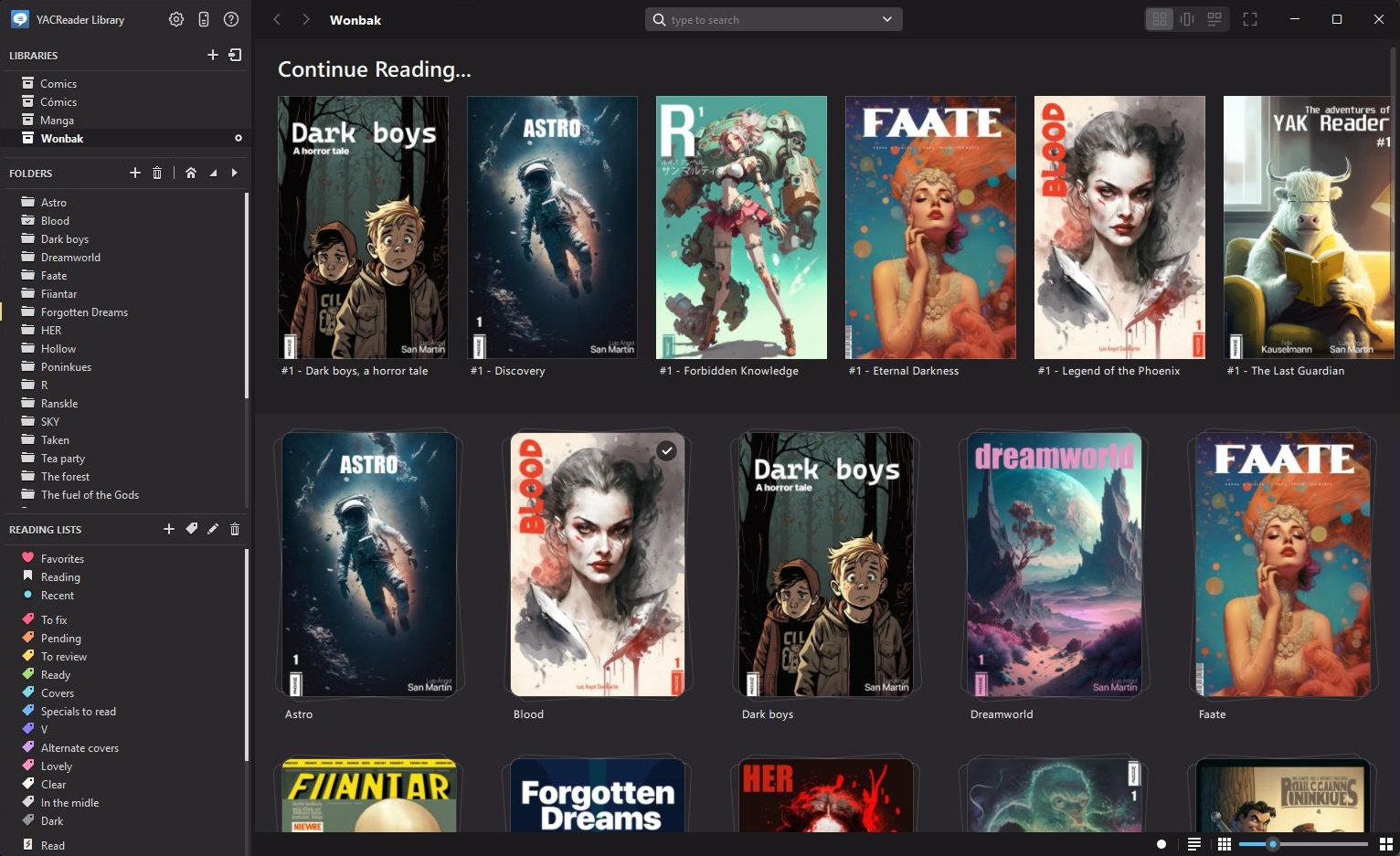
YACReader 10.5.0, new title bar
YACReader
- Add Bicubic as a scaling method in Settings, offering sharper images than Bilinear and faster scaling than Lanczos.
- Fix opening comics at page -1 after removing them from the Reading list.
- Improve the toolbar on macOS.
YACReaderLibrary
- Keep comics in reading lists and labels when their files are removed from the library. Their covers appear in gray, with their metadata and last known file name. You can still edit their metadata, get data from Comic Vine, set a custom cover, reorder them, and remove them from the list. When the same file returns, at any path, the comic becomes available again.
- Keep comics in reading lists and labels when their files are replaced, for example by a tool that writes ComicInfo.xml into the archive.
- Import reading lists in CBL XML or JSON format. Preview and adjust matches to comics in your library, and keep missing books in the reading order so you can find them later.
- Match missing books to library comics individually or across an entire reading list.
- Export reading lists as CBL XML, JSON, or a web page.
- Create smart lists that show the current results of a saved search.
- Organize reading lists and smart lists in folders.
- Track missing issues in regular folders, using Comic Vine or entering the issue numbers yourself. Edit their metadata and covers, and automatically match newly added files to the missing issues.
- Include the same comic more than once in a reading list, with each appearance keeping its place in the reading order.
- Sort search results by series, volume, and issue number.
- Save only the fields you change in the metadata editor, including when editing several comics. Comic Vine updates only the fields it returns.
- Report failed Comic Vine lookups and incomplete results.
- Fix removing comics belonging to child reading lists from a parent list view.
- Fix newly added comics sometimes appearing in the middle of a reading list instead of at the end.
- Fix library lock handling and add a way to clear locks from the desktop app and WebUI.
- Improve library opening speed over network shares.
- Unify the title and tool bars for a more integrated look on Windows and macOS.
Server
- Add server API v3 so compatible mobile clients can browse missing comics, reading lists, and smart lists, including their folders, with content ordered as on the desktop. Support is coming in iOS 3.43.0 and Android 1.13.0. Existing clients remain supported.
- Fix a security issue that could let cover requests access image files outside the library's covers folder.
- Fix a memory leak when updating libraries.
- Improve covers API performance.
WebUI
- Browse reading lists, smart lists, their folders, Favorites, tags, and Recent from the library menu.
- View missing comics in reading lists and folders, including their available metadata and covers.
- Choose how many days count as recent in this browser's settings.
- Improve the home page and add a Connect Device dialog, allowing iOS and Android clients to connect by scanning a QR code from the WebUI.
- Add mouse wheel page navigation to the reader.
- Add support for PageUp, PageDown, Home, and End keys in the reader.
- Keep your scroll position when returning to the previous view with the back button.
- Save reading progress when the tab goes to the background.
- Show better error messages.
- Add a favicon.
- Open read comics on the first page.
- Go to the next or previous comic from the reader. Comics opened from a list follow that list's order; all others follow their folder's order.
All GUI apps
- Fix the apps sometimes getting stuck in fullscreen mode after a restart. YACReaderLibrary no longer starts in fullscreen mode. YACReader still restores fullscreen mode if you close it that way, but you can always leave it.
As always, let me know about any suggestions or problems you may have. If you like YACReader, please consider becoming a patron on Patreon or making a donation through PayPal to help keep the project alive.