 YACReader
- Posts: 639
- Thank you received: 136
Help and support for Linux users.
Can't Acess Library via Docker on NAS (Synology)
- selmf
- Offline
- Moderator
-

Less
More
5 years 9 months ago #5613
by selmf
My answers are not necessarily official YACReader statements but mostly represent my own opinion in technical matters.
Replied by selmf on topic Can't Acess Library via Docker on NAS (Synology)
Actually pathing should be relative to the root folder of the library where the hidden directory with the library data resides. This is just an educated guess, but it could be related to migrating your Windows library to a Unix (Docker) system. I think Luis might be interested in taking a closer look.
My answers are not necessarily official YACReader statements but mostly represent my own opinion in technical matters.
The following user(s) said Thank You: alpha113
Please Log in or Create an account to join the conversation.
- alpha113
- Offline
- New Member
-

Less
More
- Posts: 9
- Thank you received: 1
5 years 9 months ago #5614
by alpha113
Replied by alpha113 on topic Can't Acess Library via Docker on NAS (Synology)
i think its to do with how i mounted the folder from my server to windows. when i mounted my comics folder it was labeled as w:/ so when i saved the library, the pathing was probably written as w:/ and when i imported it into docker it was reading it as w/ and as a result it could not find it. so now i created another folder called comics in w:/ so the pathing was, im guessing, written as comics/ and as a result it could find it in docker.
Please Log in or Create an account to join the conversation.
- dunnie
- Offline
- New Member
-
Less
More
- Posts: 3
- Thank you received: 0
5 years 9 months ago #5638
by dunnie
Replied by dunnie on topic Can't Acess Library via Docker on NAS (Synology)
Hola Synology Dude, I am new to docker ... but I am interested in using it to help with an comic server. I have installed the docker package. But I have gotten to the point where I am supposed to enter a terminal command.
My question is .. do i just type the command into this window ? Or do I need to click Create->Launch With Command ??
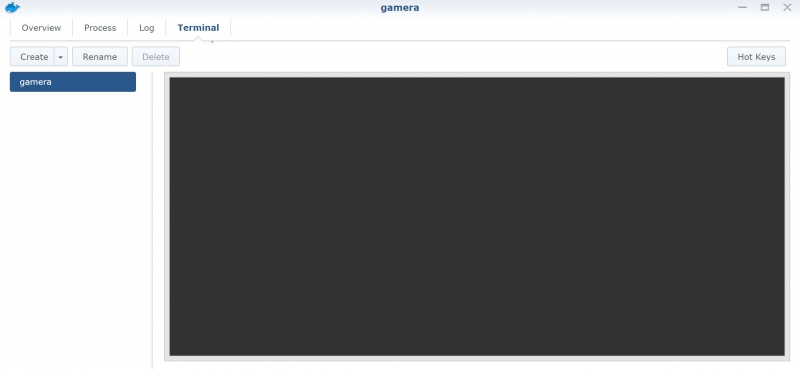
Is there a video guide for setting this up yet ?
Also ... Once installed ... can I access the library from a client in windows ? Or is it all web based ?
My question is .. do i just type the command into this window ? Or do I need to click Create->Launch With Command ??
Is there a video guide for setting this up yet ?
Also ... Once installed ... can I access the library from a client in windows ? Or is it all web based ?
Please Log in or Create an account to join the conversation.
- dunnie
- Offline
- New Member
-
Less
More
- Posts: 3
- Thank you received: 0
5 years 9 months ago #5640
by dunnie
Replied by dunnie on topic Can't Acess Library via Docker on NAS (Synology)
I am was finally able to access this be leaving and matchin the port at 8080 ... if I changed the port in the container byt setting to something like 2502 : 2502 - I could not find it.
Now I have another issue.
I made a mistake followign the config tutorial wetting up the library ... i copied and pasted the script to create teh library and when I deleted it manually from my synology , it still shows up.
Where is YacReader storing this information ...

Now I have another issue.
I made a mistake followign the config tutorial wetting up the library ... i copied and pasted the script to create teh library and when I deleted it manually from my synology , it still shows up.
Where is YacReader storing this information ...
Please Log in or Create an account to join the conversation.
Moderators: Luis Ángel